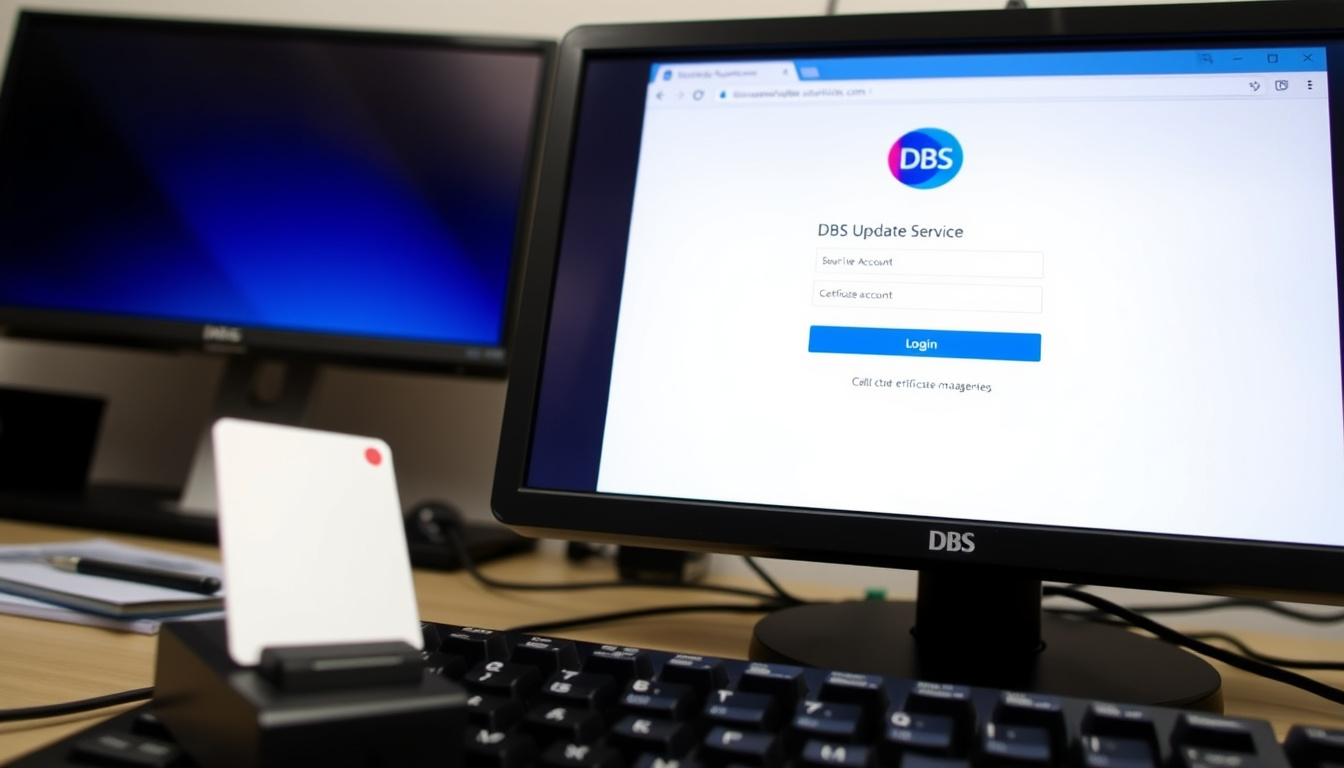
If you’ve recently received a DBS certificate for a new job or volunteer role, you might be wondering how to keep it current without starting from scratch each time. The DBS Update Service is the UK government’s answer to that question — a straightforward online subscription that lets you manage your certificate and give employers instant access to check its status.
Annual subscription cost: £16 (free for volunteers) · Active subscribers: over 2 million (GOV.UK estimate) · Time to register online: about 10 minutes · Renewal window before expiry: 30 days · Number of certificates you can add: unlimited
Quick snapshot
- Online subscription for Standard and Enhanced DBS certificates (GOV.UK – Official government service)
- Annual cost £16; free for volunteers (DBS Update Service applicant guide – GOV.UK)
- Must join within 30 days of certificate issue (GOV.UK – Official government service)
- Login at www.gov.uk/dbs-update-service (GOV.UK – Official government service)
- Exact number of active subscribers (estimated over 2 million from GOV.UK)
- Processing times can vary depending on application volume (DBS Update Service applicant guide – GOV.UK)
- Day 1: Receive DBS certificate (GOV.UK – Official government service)
- Within 30 days: Join Update Service online (GOV.UK – Official government service)
- Annually: Renew subscription before expiry (GOV.UK – Official government service)
- After 30 days from expiry: Must apply for a new DBS check (GOV.UK – Official government service)
- Employers can check your certificate online with your consent (GOV.UK – Official government service)
- Manage certificates, renewals, and employer permissions from one account (DBS Update Service applicant guide – GOV.UK)
| Service name | DBS Update Service |
|---|---|
| Managed by | Disclosure and Barring Service (DBS), UK Government |
| Subscription renewal | Annual, £16 (free for volunteers) (GOV.UK – Official government service) |
| Login URL | https://www.gov.uk/dbs-update-service |
| Join deadline | 30 days from certificate issue (GOV.UK – Official government service) |
| Required to register | Application reference number or DBS certificate number, name, date of birth, address (DBS Update Service Applicant preview – GOV.UK) |
| Customer service | 0300 0200 190 (DBS helpline) (GOV.UK – Official government service) |
How do I access the DBS Update Service?
What you need before logging in
- Your Update Service ID (a number you received when you registered)
- Your password (chosen during registration)
- A device with internet access
If you haven’t registered yet, you’ll need your DBS application reference number or your certificate number. According to the DBS Update Service Applicant preview (GOV.UK), you can subscribe using either number, but if you use the certificate number you must do so within 14 days of the certificate’s issue date.
Step-by-step login process
- Go to www.gov.uk/dbs-update-service – the official GOV.UK page for the service.
- Click the green “Sign in to the DBS Update Service” button.
- Enter your Update Service ID and password.
- Complete any two-factor authentication if prompted (e.g., memorable word).
- Once logged in, you can add or remove certificates, permit employer checks, and view your account details (GOV.UK – Official government service).
The login page is the single gateway for all account tasks. If you forget your password or memorable word, GOV.UK’s Digital and Online Services guidance explains you can call the DBS helpline at 0300 0200 190 (option 2, then option 1) to reset it.
The implication: once you’re in, everything — from updating your address to letting a new employer check your status — happens from one dashboard. No more paper trails or multiple applications.
How can I view my DBS certificate online?
Where to find your certificate after login
After signing in, your DBS certificate appears in the “Certificates” section of your account. The DBS Update Service applicant guide (GOV.UK) confirms that once registered, you can view your certificate details at any time.
Can I download a copy of my DBS certificate?
Yes – the service provides a downloadable PDF version of your certificate from the same section.
The online copy shows the current status of your certificate. If your status has changed (e.g., a new conviction), the PDF will reflect that update. Employers who have your permission can also see the live status without waiting for a paper copy.
The pattern: the service replaces the need to keep physical certificates or reapply for checks. For applicants juggling multiple roles, that means one central place to manage everything.
How long do I have to put my DBS on the Update Service?
Deadline from certificate issue date
The clock starts ticking as soon as your DBS certificate is issued. GOV.UK’s DBS Update Service page states you must register within 30 days. If you use your certificate number to register, the Applicant preview (GOV.UK) adds that you have only 14 days from the issue date to enter that number.
What happens if you miss the deadline
After 30 days pass, you cannot add that certificate to the Update Service. You would need to apply for a new DBS check to get a fresh certificate – and then register it within its own 30-day window.
The 30-day window is strict. If you miss it, you lose the chance to keep that certificate current without paying for a brand-new check. Setting a reminder as soon as your certificate arrives is the safest move.
Why this matters: the cost of a new DBS check (typically £18–£40 for an Enhanced check) far outweighs the £16 annual subscription. Missing the deadline hits both your wallet and your time.
What is the difference between DBS and DBS Update Service?
One-time DBS check vs. subscription service
A DBS check is a one-off process that produces a certificate showing your criminal record status at that moment. The DBS Update Service is an annual subscription that keeps that certificate live so employers can check it repeatedly over time.
When the Update Service is beneficial
- If you work in multiple roles that require the same level of check
- If you change jobs frequently within the same sector (e.g., healthcare, education, volunteering)
- If your employer uses the online checking system
| Feature | One-off DBS check | DBS Update Service |
|---|---|---|
| Type | Single certificate | Annual subscription |
| Validity | Snapshot on date of issue | Kept up to date for employer checks |
| Cost | £18–£40 (varies by check level and provider) | £16 per year (free for volunteers) (GOV.UK – Official government service) |
| Employer access | Paper certificate only | Online check with consent |
| Renewal | Must reapply for each new employer | Annual subscription, no new application needed |
The trade-off: paying £16 a year saves you the hassle of repeated applications, but it only works for Standard or Enhanced checks. Basic DBS checks cannot be added to the Update Service (GOV.UK – Official government service).
What if I forgot to renew my DBS Update Service?
Renewal window and grace period
Your subscription automatically expires after one year. However, GOV.UK’s DBS Update Service page confirms you have a 30-day grace period after the expiry date to renew. During this window you can still log in and pay the £16 fee for the next year.
Steps to renew after expiry
- Sign in to your account at the normal login page.
- Follow the renewal prompts – you’ll need to pay the annual fee unless you’re a volunteer.
- Once paid, your subscription is extended for another 12 months.
If more than 30 days have passed since expiry, the DBS Update Service applicant guide (GOV.UK) states you cannot renew and must apply for a completely new DBS check.
The grace period buys you a month of flexibility. But after that, there’s no going back – a new DBS application is your only option. Marking your renewal date on a calendar is a small step that saves big headaches.
The pattern: the system is generous with a 30-day grace but unforgiving beyond that. For anyone relying on a current certificate for work, letting it lapse means lost time and money.
How long does a DBS Update usually take?
Factors that affect processing time
- The type of check (Standard vs. Enhanced)
- The number of applications being processed at the time
- Whether any police forces need to provide additional information
Typical timeframes
According to the DBS Update Service applicant guide (GOV.UK), most updates are processed within 14 days. When an employer checks your certificate through the online system, the result is immediate if your subscription is current. If the check reveals a change in your status, the employer will see that update instantly.
The implication: for employers, the Update Service turns a days-long wait into a real-time verification. For applicants, it means faster hiring decisions – as long as the subscription is active.
DBS Update Service: Pros and Cons
Upsides
- Keeps your DBS certificate current without reapplying
- Employers can check online instantly with your consent (GOV.UK – Official government service)
- Free for volunteers
- Manage multiple certificates from one account
- Secure online portal with password protection
Downsides
- Only available for Standard and Enhanced checks – not Basic (GOV.UK – Official government service)
- Requires an annual payment (£16) unless you’re a volunteer
- 30-day deadline to join after certificate issue – easy to miss
- Lost password or ID can be tricky to reset without calling the helpline (GOV.UK Digital and Online Services guidance)
Timeline: DBS Update Service lifecycle
- Day 1: Receive DBS certificate
- Within 30 days: Join Update Service online (GOV.UK – Official government service)
- Annually: Renew subscription before expiry
- After 30 days from expiry: Must apply for a new DBS check (GOV.UK – Official government service)
Confirmed facts and what’s unclear
Confirmed facts
- The DBS Update Service is run by the UK Government (GOV.UK – Official government service)
- Annual subscription is £16, free for volunteers (DBS Update Service applicant guide – GOV.UK)
- Join within 30 days of certificate issue (GOV.UK – Official government service)
- Login URL is www.gov.uk/dbs-update-service (GOV.UK – Official government service)
What’s unclear
- Exact number of active subscribers (estimated over 2 million from GOV.UK)
- Processing times may vary depending on volume (DBS Update Service applicant guide – GOV.UK)
What experts say
The Update Service allows you to keep your DBS certificate up to date and lets employers check it online with your consent.
GOV.UK – Official government service
Subscribing is quick and simple and requires an application form reference number or DBS certificate number, your name, date of birth, your address and payment of the subscription fee.
DBS Update Service Applicant preview – GOV.UK
Wrapping up
The DBS Update Service login is your key to a simpler, faster way to manage background checks for work or volunteering. For the cost of a monthly streaming subscription, you save the time and expense of repeated DBS applications. But the system only works if you act within the deadlines – join within 30 days of getting your certificate, renew before the grace period lapses, and keep your login details safe. For employers in sectors like education and healthcare, the implication is clear: adopt the online checking system to cut hiring delays and reduce paperwork, or stick with paper certificates and longer waits.
Related reading: **easyJet Manage My Booking – Login and Update Guide**
For those who need to view their certificate status or renew their subscription, the DBS Update Service check page provides a straightforward guide.
Frequently asked questions
Can I add an old DBS certificate to the Update Service?
No – you can only add a certificate within 30 days of its issue date. After that, you would need to apply for a new DBS check and register it within its own 30-day window.
How do I pay for the DBS Update Service subscription?
Payment is made online at the time of registration or renewal using a debit or credit card. Volunteers do not need to pay – the subscription is free for unpaid roles (GOV.UK – Official government service).
What happens if I change my address?
You should update your address in your account settings after logging in. You do not need a new DBS certificate if your address changes – the Update Service simply keeps your existing certificate current.
Can I use the Update Service for a Basic DBS check?
No – the Update Service is only available for Standard and Enhanced DBS certificates. Basic DBS checks are not eligible (GOV.UK – Official government service).
How do I cancel my DBS Update Service subscription?
You can cancel your subscription by contacting DBS customer services. If you cancel mid-year, you will not receive a refund for the remaining months. Contact GOV.UK’s DBS Update Service page for details.
What is my DBS Update Service ID?
Your Update Service ID is a unique number issued when you first register. It is used along with your password to log into your account. If you have forgotten it, you can retrieve it through the login page or by calling the DBS helpline.

Oliver Jack Carter Cooper is a staff writer for EveningLedger.uk, covering UK news, politics, business and culture. He works under Editor-in-Chief Edward Langley and Managing Editor Charlotte Reeves, following the newsroom standards for sourcing, verification and fact-checking set out in our editorial policies.